Enterprise Systems Integration: What It Is, How It’s Done, and What It Costs
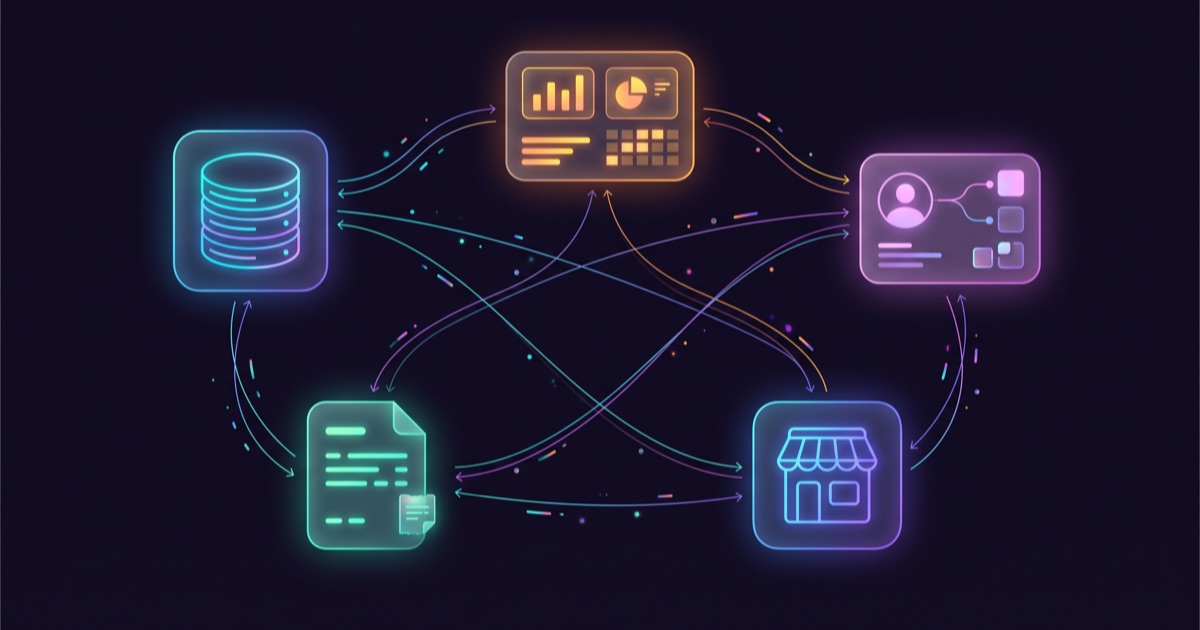
Integrating systems means making your company’s applications pass information to each other without a person copying it. The deal a rep closes in the CRM shows up in the ERP without being re-keyed. The order from the online store adjusts inventory in the warehouse system. The invoice goes out when payment lands, not when someone remembers.
If someone on your team has a job that consists of moving data from one system to another, you already have the problem integration solves. And that salary is the cost you are paying without seeing it on a budget line.
This article will not sell you a platform. It covers what the sixteen results you probably already read do not: the four real methods, what each one costs in dollars, and what breaks afterward.
Which systems does a mid-sized company usually have to integrate?
In most mid-sized companies the map looks like this:
- Finance and accounting: QuickBooks, NetSuite, SAP Business One, Odoo, or something built years ago that nobody dares touch.
- Sales: Pipedrive, HubSpot, Salesforce, or a spreadsheet doing the job of a CRM.
- Channels: the store on Shopify or WooCommerce, Amazon, marketplaces, and reps on WhatsApp or SMS.
- Operations: Google Workspace or Microsoft 365, a ticketing system, the bank, the carrier.
- Compliance: tax, payroll and e-invoicing services, which are systems too even if nobody calls them that.
Each works fine on its own. The problem appears between them: the marketplace order that has to be keyed into the ERP by hand, the customer who exists three times under three names, the inventory that says one thing in the store and another in the warehouse.
The first thing to verify, before quoting anything, is what each system can do outward. Connection capabilities change by version and license; an older system may have no way to connect other than reading its database directly. That verification takes half a day and prevents quotes that later cannot be delivered.
What are the four methods for integrating systems?
| Method | What it is | When it fits | Typical cost |
|---|---|---|---|
| Point-to-point | A direct connector between two systems, sometimes the one the software already ships | Two systems, one flow, no special logic | $0 – $1,000 |
| Orchestrator (n8n, Make, Zapier) | A tool in the middle connecting several systems through visual workflows | Three to six systems, clear rules, moderate volume | $3,750 – $9,000 plus the tool |
| Enterprise iPaaS (MuleSoft, Jitterbit, Boomi) | A licensed integration platform with governance and support | Dozens of systems, several departments, audit requirements | Licenses from $12,000 a year, plus implementation |
| Custom development | Your own code connecting what no tool connects | Systems without connectors, complex logic, or integration as part of the product | From $16,500 |
The ranges are 2026 market figures in US dollars; the orchestrator and custom rows are what we quote for nearshore delivery. The iPaaS figures come from the platforms themselves.
Point-to-point is where almost everyone should start and almost nobody should stay. Shopify already talks to many systems; marketplaces have connectors for several ERPs. If your case is “these two systems, this flow,” look first for a connector that already exists. It costs little or nothing and teaches you what you actually need.
The orchestrator is the middle ground where most mid-sized companies land. A tool like n8n in the middle, with workflows anyone can read even if not anyone can edit. It connects three, five, eight systems, handles exceptions, alerts when something fails. It scales well until it stops scaling, and we cover that below.
Enterprise iPaaS exists for companies with dozens of systems, several departments with different owners, and a need for governance: who may connect what, a log of everything, support under contract. With fewer than ten systems, the license will cost more than the problem.
Custom development comes in when no connector or orchestrator reaches: the legacy system without an API that can only be read at the database, business logic that does not fit a visual workflow, or an integration that *is* the product. It is the most expensive option and sometimes the only honest one.
What does systems integration cost?
What you get quoted depends on four things, in this order:
- How many systems, and how connectable they are. Two modern systems with APIs is one thing; five, one of them without an API, is another. Cost does not grow linearly: each new system multiplies the combinations that have to be tested.
- How clean your data is. The customer who exists three times, the product with two codes, the address in a free-text field. Cleaning that can cost more than the integration, and nobody quotes it up front.
- How many exceptions the process has. “It is always like this, except for government accounts, or orders above a threshold, or the northern branch.” Every exception is logic someone writes and tests.
- What happens when it fails. An integration that moves money, inventory or invoices needs retries, alerts, a log and a way to roll back. That is half the work and none of the demo.
With that in hand, our numbers: a $1,200 discovery phase that verifies what each system can do, maps the process as it actually runs, and ends in a document that is yours with a closed scope and price; and a build from $3,750. An integration of ERP and online store, with inventory handling and exceptions, usually lands above that floor, and discovery is exactly what tells you how far above before you commit.
If you want to understand where those figures come from and how to compare them with other quotes, it is laid out in what process automation costs.
What breaks after you integrate?
This is the section that decides whether the integration is still alive in a year, and the one no quote includes.
It is almost never the integration that breaks. It is the environment. A vendor changes its API without notice. A credential expires. The bank changes its file format. Someone adds a required field to the CRM and the workflow that created customers starts failing silently. The store updates its platform and the connector that came free stops coming.
And the worst part of silence is what happens next: the team goes back to doing it by hand without telling anyone, because the work has to get out. Two months later someone asks why the ERP and the store are out of sync again, and it turns out the integration has not run in weeks. You paid for something nobody uses.
That is why you decide before building who looks after it afterward. Three real options:
- Someone on your team who watches it. Works if that person exists and has time; rarely both.
- A monthly arrangement with whoever built it, including monitoring and a response when something fails.
- Consciously accepting an expiration date. A valid choice for small integrations; what is not valid is not deciding.
For a US company working with a nearshore team, the practical detail is the time zone. Most of Mexico sits at UTC−6 all year and has not observed daylight saving since 2022, which keeps it within one to two hours of every continental US zone. An integration that fails mid-afternoon gets looked at the same afternoon.
When does the orchestrator stop being enough?
The orchestrator is the right choice for most, until one of these signs appears:
- The workflow passed twenty or thirty nodes with nested branches. It runs, but nobody understands it or dares touch it.
- You are storing state inside the orchestrator. If the tool became your database, what you need is a database.
- Business logic lives in the workflows. The rules of how your company operates spread across a canvas, with no tests and no change history. That is not integration, it is debt.
- The central system has no way to connect other than reading its database, and that takes code that understands its structure.
When any of those appears, what follows is custom software development, and the orchestrator goes back to doing what it does well: gluing together what can be glued.
The reverse happens too, and more often: companies that commission a full system when three workflows would have solved it. That is why it pays to map before deciding.
Where do you start?
- With the flow that hurts most, not the biggest. The order that has to be re-keyed twenty times a day is worth more than the tedious monthly report.
- By verifying what each system can do before promising anything. Half a day that saves months.
- With clean data first, or at least knowing how dirty it is. Integrating dirty data produces errors faster.
- With a named owner from day one. Not when it breaks.
- By measuring the hours before and after. Without that you will not be able to justify the next one.
Frequently asked questions about systems integration
What is enterprise systems integration?
Connecting a company’s applications — ERP, CRM, online store, invoicing, bank — so information passes between them without a person copying it. The symptom that you need it is someone on your team whose job is re-keying data from one system into another.
What does it cost to integrate business systems?
From almost nothing if a connector between your two systems already exists, to more than $16,500 when custom development is needed. Most mid-sized companies land in the $3,750 to $9,000 range with an orchestrator like n8n. What moves the price most is how many systems are involved, how connectable they are, and how clean the data is.
What are the methods of systems integration?
Four: point-to-point (a direct connector between two systems), orchestrator (a tool like n8n or Make in the middle), enterprise iPaaS (licensed platforms like MuleSoft or Jitterbit), and custom development. Each fits a different scale, and most mid-sized companies land on the orchestrator.
Can a legacy ERP be integrated with an online store?
It depends on the version and license: connection capabilities change between versions, and some older installations can only be connected by reading their database directly. It is the first thing to verify before quoting, and it takes half a day.
What breaks after integrating systems?
Almost never the integration; the environment. An API that changes, a credential that expires, a new field in the CRM, a store platform update. An integration nobody watches stops working quietly and the team goes back to doing it by hand. That is why you define who looks after it before building.
When should you build instead of using a tool?
When the central system has no way to connect, when business logic does not fit a visual workflow, when the workflow already has twenty or thirty nodes nobody understands, or when the integration is part of the product you sell.
Do you have someone re-keying data between systems?
If you read this far you already know who, and how many hours it takes.
The first step is not choosing a tool; it is verifying what each system can do and mapping the flow as it actually runs. You end up with a document that is yours — what connects, how, what it costs and what breaks — whether you build it with us or with anyone else. Tell us which systems don’t talk to each other and we will take a look.