What Is n8n and What Does It Do for a Business?
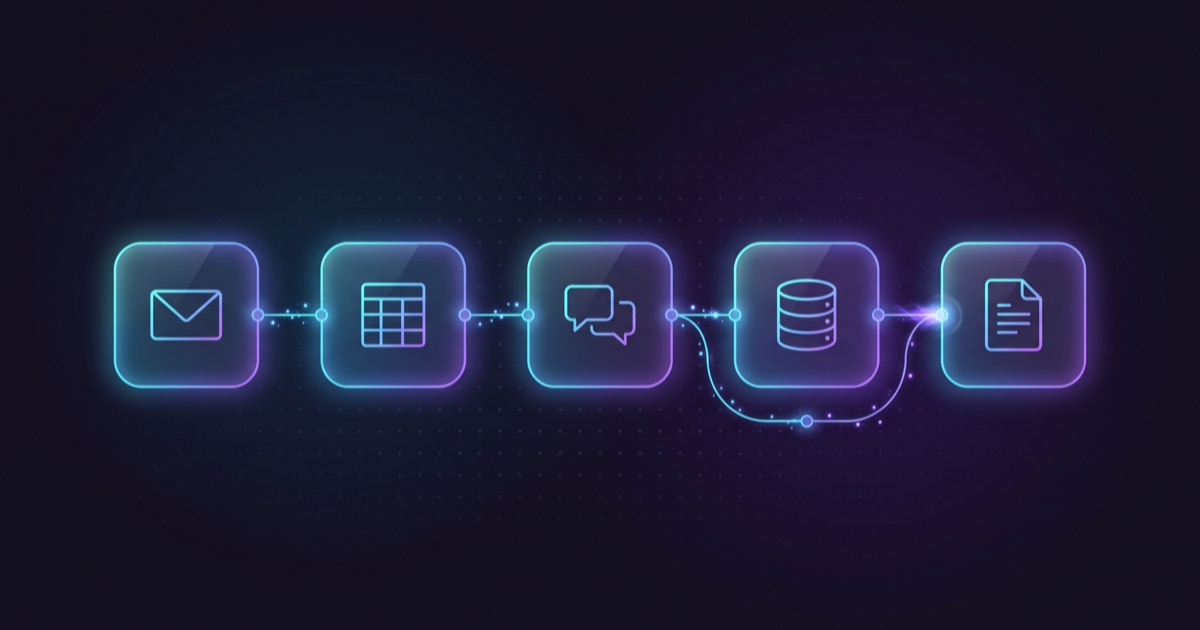
n8n is a workflow automation platform. It connects the applications your company already uses — CRM, email, spreadsheets, WhatsApp, internal systems — so that data moves between them without anyone copying it by hand.
It is pronounced “n-eight-n”, and what sets it apart from Zapier or Make is that you can download it and run it on your own server. That changes the conversation about price, about where your data lives, and about who keeps it running.
There are twenty articles explaining what n8n is. This one assumes you got that from the first paragraph and spends its time on what almost nobody writes down: what its license actually says, what it costs to operate properly, and when you should be using something else.
How does n8n work?
A workflow in n8n is built visually, by dragging nodes onto a canvas and connecting them. Every workflow starts with a trigger — an email arrives, a form is submitted, it turns 7 a.m., someone messages on WhatsApp — and continues through nodes that do things: read a record, filter it, branch on a condition, write to another system, post to Slack.
The practical difference from a purely visual tool is that at any point you can drop in a code node and write JavaScript or Python. That matters when the real case does not fit the template, which is nearly always: the legacy system’s date format, the field that is sometimes empty, the rule that only applies to government accounts.
n8n advertises more than 500 native integrations, and for anything without a node there is a generic HTTP node. In practice, if the system has an API, it connects.
Is n8n free? What the license actually says
Almost every article says “n8n is free and open source.” Both words are imprecise. It is worth reading the license before you build on it, because it says three distinct things.
The license is called the Sustainable Use License, version 1.0, and it is not an open-source license in the strict sense. Its text lets you use and modify the software “only for your own internal business purposes or for non-commercial or personal use.” In other words: your company can self-host n8n and use it free for its own operations, with no fee and no cap.
Second: not everything in the repository is under that license. Files with `.ee` in the name or the folder are excluded and require an n8n Enterprise license to use in production. Those are the enterprise features — SSO, audit logs, external secret stores — not the engine.
Third, and this is the one that matters if you are evaluating a vendor: the license allows providing the software to others only free of charge and for non-commercial purposes. There is a distinction worth keeping clear. An agency using n8n internally as a tool to build you an automation is normal and nothing to worry about, the same way it uses an image editor or a server. Selling you access to its n8n instance as if the platform were the product is a different thing. If you are offered the second, ask under what license.
This is not legal advice and the license can change. If you plan to build a product on top of n8n, read it yourself and, if in doubt, ask n8n.
What does n8n cost?
It depends on whether you rent it or run it, and both options carry costs that are not on the pricing page.
n8n Cloud charges by workflow executions per month, not by seat: every plan includes unlimited users and workflows. The Starter plan is about $22 a month billed annually with 2,500 executions, and Pro is about $56 with 10,000. One thing to know: n8n bills in a foreign currency, so the dollar figure moves with the exchange rate and whatever your card adds on top. It is not a fixed line in your budget, even if it looks like one.
The dollar figures for the cloud plans are approximate and calculated at the November 2026 exchange rate. If you are reading this months later, check the price on n8n’s site.
Self-hosted, the license costs nothing but the server does. A small cloud instance runs $20 to $60 a month depending on load. Then add what you do not see: someone to update the version, rotate credentials, and find out why a workflow stopped running on Tuesday. That is the real self-hosting bill, and it is the one nobody budgets.
And if the workflow uses AI models, tokens are billed separately whichever way you run it. A workflow that classifies incoming email with a model can cost $10 to $250 a month in consumption alone, depending on volume and model.
What can a business automate with n8n?
The cases we build most often, in order of how fast they pay back:
- Lead capture. The website form lands in the CRM with its source and campaign, the right rep gets notified, and if nobody responds within X hours it escalates. Ends the “who was supposed to call that one?” problem.
- Reconciliation between systems. The ERP and the online store stop contradicting each other because something matches them every night and reports the differences.
- Invoicing and collections. Trigger the invoice when a deal closes, file the PDF where accounting looks for it, flag what bounced. Errors here cost real money.
- WhatsApp. Receive the message, classify it, answer what can be answered, and hand the rest to a person. Not a chatbot pretending to be human: routing that keeps messages from falling through the cracks.
- Reporting. The thing someone assembles every Monday from three dashboards arrives by itself at 8 a.m.
- Onboarding and offboarding. Accounts, access, folders and the notification to whoever needs it, triggered from one form. And the reverse, which is where access tends to stay open.
The pattern: n8n shines where two or more systems do not talk to each other and a person sits between them acting as the bridge. That person is the cost you are paying without seeing it on a budget line.
How is n8n different from Zapier and Make?
All three do the same thing at the basic level. The differences that matter when deciding:
| n8n | Zapier | Make | |
|---|---|---|---|
| Self-hosting | Yes | No | No |
| Where your data lives | Wherever you decide | Their cloud | Their cloud |
| Billing | Per execution | Per task and seat | Per operation |
| Code inside the workflow | JavaScript and Python, native | Limited | Limited |
| Learning curve | Steepest | Easiest | Middle |
Zapier wins when you want something solved today and you are connecting two standard commercial tools. It is the easiest and the one that makes you think the least.
n8n wins in three specific cases: when data cannot leave your infrastructure — personal data, financial records, case files — when volume makes per-task billing explode, and when the workflow needs logic a visual tool cannot express.
If your case is none of those three, Zapier will probably serve you better and cost you less time. That is not easy for us to say, but it is true.
Should you self-host n8n or use the cloud?
Use the cloud if you are starting out. Paying $22 a month while you find out whether the automation is worth anything is far cheaper than standing up a server to discover two months later that the process you wanted to automate was badly designed.
Self-host when one of these is true:
- Data cannot leave your infrastructure, by regulation, by contract or by internal policy.
- Execution volume already makes the cloud plan cost more than a server.
- You need to integrate with systems that live on your network and are not exposed to the internet.
- You want full control over versions and when updates happen.
And an honest warning: self-hosting is not free, it is deferred. You trade a subscription for operational responsibility. If nobody on your team can look after the server — and you have no vendor with a clear agreement to do it — the cloud will end up cheaper even when the invoice says otherwise.
What does it take to run n8n properly?
This is the question that decides whether the investment survives its first year, and almost nobody asks it in time.
A workflow in production needs four things: monitoring that alerts when something fails, retry handling for transient errors, a log of what ran and with what result, and someone responsible for looking after it.
What breaks is almost never the workflow. It is the environment: a vendor changes its API, a credential expires, the bank changes its file format, someone adds a field to the CRM. A workflow nobody is watching stops working quietly, and the worst part of quiet is that the team goes back to doing it by hand without telling anyone. Then you paid for something nobody uses.
Decide before you build who owns it afterward. There are three real options: someone on your team who looks after it, a monthly arrangement with whoever built it, or consciously accepting that it has an expiration date.
For a US company working with a nearshore team, the practical detail is the time zone. Most of Mexico sits at UTC−6 all year and has not observed daylight saving since 2022, which keeps it within one to two hours of every continental US time zone. A workflow that breaks mid-afternoon gets attention the same afternoon, not the next morning.
When is n8n not enough?
n8n is an orchestration tool, not a system. There are four signs that you are past its territory:
- The workflow has more than twenty or thirty nodes with nested branches. Technically it runs. But nobody understands what it does, nobody dares touch it, and debugging it takes longer than writing it as code would have.
- You are storing state inside the workflow. If n8n has become your database, what you need is a database.
- People are using it. If someone logs into n8n to enter data, it is no longer an automation: it is an application with no interface and no access control.
- Business logic lives in the nodes. The rules that define how your company operates, spread across a canvas, with no tests and no change history. That is not automation, it is debt.
When any of those appears, what follows is custom software development, and n8n goes back to doing what it does well: gluing systems together.
The reverse also happens, and more often: companies that commission a full system when three n8n workflows would have solved the problem. That is why it pays to map the process before choosing the tool.
How do you get started with n8n in a company?
- Pick a contained process, not the most painful one. Something that touches two systems and can be seen working in weeks. A quick win convinces an organization far better than a six-month project nobody has seen.
- Document the process as it actually runs, by asking the person who executes it. It is never the same as the handbook, and the exceptions are half the work.
- Try it in the cloud before standing up a server. Validate that it works, then decide where it lives.
- Name the owner on day one, not when it breaks.
- Measure the hours before and after. Without that comparison you will not be able to justify the next project.
If you would rather not build it yourself, at Iterando the path is a $1,200 discovery phase that maps the process and ends in a document that is yours — what is worth automating, what is not, how many hours it gives back and what it costs — and a process automation build from $3,750. That document is yours whether you build it with us or with anyone else.
Frequently asked questions about n8n
What is n8n and what is it for?
It is a workflow automation platform that connects a company’s applications — CRM, email, spreadsheets, WhatsApp, internal systems — so data moves between them without manual work. It is most useful where two or more systems do not talk to each other and a person sits between them copying information.
Is n8n free?
Its license, the Sustainable Use License 1.0, lets a company self-host it at no cost for its own internal business purposes. It is not open source in the strict sense: files marked `.ee` require an Enterprise license, and providing the software to others is allowed only free of charge and non-commercially. The cloud plan starts at about $22 a month billed annually.
What does it cost to run n8n self-hosted?
The license is free; the server is not: $20 to $60 a month for a small instance, plus the time of whoever updates it, rotates credentials and handles failures. If the workflow uses AI models, tokens are billed separately.
What is the difference between n8n and Zapier?
n8n can be self-hosted, bills per execution and lets you write code inside the workflow; Zapier lives in its own cloud, bills per task and seat, and is easier to start with. Zapier fits when you want something solved quickly between two standard tools; n8n when data cannot leave your infrastructure, when volume makes per-task billing expensive, or when the workflow needs logic a visual tool cannot express.
When does n8n stop being the right tool?
When the workflow passes twenty or thirty nodes with nested branches, when you start storing state inside it, when people log in to enter data, or when business logic lives in the nodes with no tests or version control. In those cases the answer is custom development.
Do you need to know how to code to use n8n?
For simple workflows, no: they are built by dragging nodes. For real cases — inconsistent formats, empty fields, exceptions by customer type — some JavaScript or Python almost always ends up being needed, and n8n lets you write it inside the workflow.
Do you have a process with a person in the middle copying data?
If you read this far, you probably already have one in mind, and the name of the person who does it.
The first step is not choosing a tool, it is mapping the process: what steps it actually has, which ones can be removed rather than automated, and whether this is three n8n workflows or something else. Tell us which process is costing you hours and we will take a look.